Showing posts with label knowledge. Show all posts

Thursday, January 8, 2015

UDIM UV mapping Article by Mike Seymour at fxguide

Hi friends.

There is a very nice article about the UDIM UV mapping method written by Mike Seymour. Mike starts with a describtion about Ptex and it's characteristics. Later then you will learn how UDIM works and where it was used the first time.

UDIM was invented by Richard Addison-Wood who is a software developer at Weta Digital.

Here is the complete article: http://www.fxguide.com/featured/udim-uv-mapping/

Have fun
Chris

Teil 8 - Erstellung eines 3D-Modells für Computerspiele - Thema: "Fantasy-Waffe"

Hallo.

Ich bin wieder zurück, mit der 8. Episode meiner Tutorialserie.

In diesem Teil erkläre ich Euch, wie man im Retopologiebereich von 3D-Coat UV-Koordinaten erstellt.

Mit diesen Informationen kann man dann Texturen auf das Modell malen oder Tiefeninformationen aus einem hoch aufgelösten Modell übertragen.

Ihr lernt einige Grundlagen über UV-Koordinaten und natürlich die Werkzeuge kennen, die für die Erstellung der Informationen benötigt werden.

Im nächsten Teil behandle ich dann das Übertragen der Normalmaps.

Viel Spaß!
Chris

For the international audience:
This episode describes how to set uv coordinates in the retopology room of 3D-Coat. The english version is in preparation and comes as soon as possible. Thank you for your patience.

Best regards
Chris


Wednesday, December 17, 2014

Teil 7 - Erstellung eines 3D-Modells für Computerspiele - Thema: "Fantasy-Waffe"

Etwas verspätet die Meldung in meinem Blog, aber es geht weiter. Vielleicht hat es ja der Ein oder Andere verpasst, deshalb:

Die siebte Episode in Deutsch vervollständigt den Retopologie-Teil. Die restlichen Elemente des Modells werden hier erstellt. Im achten Teil wird es dann mit der Erstellung der UV-Koordinaten und dem Baking-Prozess weiter gehen, um dann die Normalmaps aus dem High-Poly-Modell zu übertragen.

Viel Spaß
Chris


Monday, December 1, 2014

Part 7 (English) - How to create a 3D model for video games - Topic: Fantasy weapon

Here we are with the english version of episode 7 of my tutorial series how to create a game model.

In this episode I complete the retopology process and create the remaining low poly objects.

In the upcoming part 8 you will learn how to set the uvs and I will explain the baking process.

Thank you for watching
Chris


Thursday, November 20, 2014

Teil 6 - Erstellung eines 3D-Modells für Computerspiele - Thema: "Fantasy-Waffe"

Es ist soweit. Nach langer Abstinenz nähern wir uns langsam aber sicher dem letzten Bereich meiner Tutorialserie. Mit Teil 6 läute ich den Retopologie-Abschnitt ein. Viel Spaß!

International audience:
The english version follows soon! Thank you for your patience.


Monday, November 3, 2014

Sneak peak at the upcoming 3D-Coat beta

Andrew Shpagin has published some deeper insights into the 3D-Coat version he is currently working on.

As you maybe know the current work is focused on expanding 3D-Coats painting abilities. One of the big changes is the rendering engine, which  is responsible for displaying all information you see inside the viewport. The old render engine was based on very basic shaders and got not much updates for a long time.

Now Andrew is implementing PBR (Physically Based Rendering) for the upcoming release. PBR is a rendering technique that is currently used in modern realtime render engines. This technique allows to simulate more realistic materials. The results resembles materials in real nature.

The new render technique give artists the possibility to present their work in a much higher quality. In many cases you will be not to be forced to render your models in the traditional way using renderers like vray or mental ray. Of course there are still a lot quality differences between the render techniques, but the PBR will save you a lot of time. Additionally you will be able to support modern render engines now like unreal angine 4 and others that are supporting PBR shaders.

3D-Coat is currently using a similar shader technique like marmoset toolbag and your work will be compatible to it.

To allow you do all this 3D-Coats internal layer struture and the realtime render engine were completely rewritten.

Following you see some examples using PBR in 3D-Coat and first usability screenshots.

Best wishes
Chris
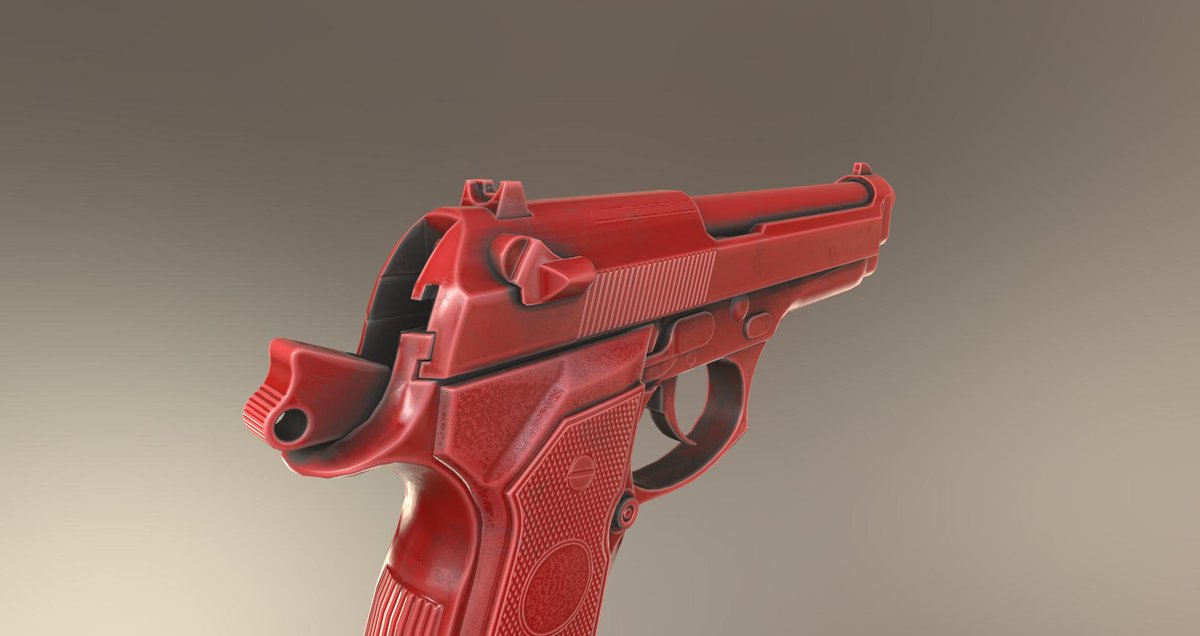
 

Dirt support using ambient occlusion condition
"Dirt plastic" example

First insight into the new layer organisation
There is a dropbox library with more PBR material examples supported by 3D-Coat. You will find the gallery using the following link: More PBR shader examples


Saturday, December 14, 2013

Tutorial: How to create a 3D model for video games - Topic: Fantasy weapon - Part 2

Hello.

It's time for the second episode of the english version of my tutorial how to create a 3D fantasy weapon for video games.

Don't miss the new playlists on my YouTube channel.


Monday, December 2, 2013

Tutorial: How to create a 3D model for video games - Topic: Fantasy weapon - Part 1

Hello friends.

Forgot to post it here. The english version of my new tutorial series is online. You learn how to create a 3d model for video games.
What you see is the first part of the series. The next episode will show how to model the object inside 3D Coat.

Best wishes
Chris


Friday, November 22, 2013

Tutorial: 3D-Modell für Computerspiele - "Fantasy-Kampfaxt" - Teil 1 - (Deutsch)


Hallo zusammen.

Das ist der erste Teil einer neuen Tutorial-Serie in der ich step-by-step erkläre, wie ich eine Fantasy-Waffe erstellte.
Ich zeige hier alle Bereiche der Arbeiten an dem Modell. Angefangen vom Zeichnen und Entwurf des Modells, das Bauen und Sculpten bis hin zum Bemalen in 3D Coat.

Das Tutorial ist zunächst in deutscher Sprache geplant.

Viel Spaß damit!

For the english audience:
This is the first part of my new tutorial series. I show how to model a phantasy weapon. I explain all steps in the creation process. Beginning at the concept artwork, over the modeling and up to texture paintings in 3D Coat. If you are interested to see this video in english language, drop me an info on youtube or in my google+ channel, please. It is a lot of work to translate it, but I will try to do it as soon as possible and if enough people are interested.

Best regards
Chris

Wednesday, March 6, 2013

handplane - tangent space calculator

Hi friends.

Today I've found a very handy tool for correcting tangent space normals. It is really great to correct seam problems in realtime 3D objects that uses normal maps.

Take a look, it is really a nice helper.

Direct link to handplane: http://www.handplane3d.com/

Best wishes
Chris

Video:

Thursday, September 6, 2012

Tips for creating LODs for games by 3D World magazine

Published by the 3D World magazine you will find a very nice article how to create effective LODs for your game models. It is really worth to take a look.

Here is the link to the article: View article

Thursday, August 23, 2012

MeshLab - An open source decimation tool

#MeshLab is a very nice open source tool for reducing very high res meshes. You can use it to reduce scanned or sculpted models. There are a lot of nice features included and many options allow flexibility. A batch feature complete the tool. Take a look on it, it works great.

Visit the official website: http://meshlab.sourceforge.net/


Monday, January 30, 2012

Tips & Tricks: Cavity painting - fundamental rules

Hello,

several people asked me how to use cavity painting in 3D Coat.

The main point is: Cavity painting never changed basically, it is working like always. But since vertex painting is included in the current beta, more people are interested in the painting functionality in 3D Coat (What I embrace a lot!)

Before using cavity painting in 3D Coat you have to keep some basic rules in your mind. Following the fundamental tips before experimenting with cavity painting in 3D Coat. It's nothing special and only a few tips, but good to know.

Best wishes
Chris


Friday, September 2, 2011

Insider-News: Paint masks and projections directly in 3D Coat

Did you ever wished to paint or modify your masks and projections directly in 3D Coat? This will be possible soon:


What is this good for?
  • You can paint your masks or projection images directly inside 3D Coat.
  • You can modify existing masks or projections.
  • You are are not forced to move into a 3rd party painting tool to make any mask or projection changes.

    Monday, May 30, 2011

    Insider news: meshmixer by Ryan Schmidt

    Hello guys,

    Ryan Schmidt published a free modeling and remeshing tool called meshmixer. It is completely free and ready to download on his official website.

    meshmixer shows us the future in organic modeling techniques, but it works already today! You must see the videos, the possibilities are andless! Meshmixer is much more than a clean up tool for scanned 3D models. I am very curious in the future development.

    I would be not surprised, when we see Ryan soon in a company like pixologic or similar... but I hope it will need some time until they "catch him". ;-)

    Visit the official website: Wanna see it...

    Tuesday, April 19, 2011

    Tips & Tricks (German): Erste Tutorial-Videos in Deutsch veröffentlicht

    Hallo zusammen,
    ich habe begonnen, erste Tutorial-Videos in deutscher Sprache zu veröffentlichen. Dazu nutze ich meine Platform www.lernfaktor.de. Dort findet ihr alle Videos zum Ansehen.

    Geplant sind zwei Arten von Videos: "Quickies", die jederzeit kostenlos angeschaut werden können und professionelle Videos, die etwas länger sind und Themen im Detail beschreiben. Die Profivideos kosten dann ein paar Euros.

    Neben 3D Coat plane ich Videos zu weiteren Programmen, wie Softimage oder Photoshop.

    Best wishes
    Chris

    Wechseln zu: www.lernfaktor.de

    Saturday, April 2, 2011

    Tips & Tricks: MaCrea, a free shaderball creating tool by Taron

    Hi folks,

    Taron has released a very nice helper tool for creating shaderballs. Shaderballs can be used in the most sculpting software to define the surface representation of your models.

    Here is a introduction video for MaCrea:


    To download his free software visit Tarons website: Wanna have it...

    Wednesday, March 30, 2011

    Insider news: 3D Coat development plan for the poly paint part, known as LiveClay

    Hello folks,

    some of you maybe already know that Farsthary is developing a LiveClay function for 3D Coat. I reported it recently in my blog. Yesterday Farstshary wrote some infos about the upcoming development for his topic, I summarize the important parts for you here:
    • The LiveClay development is going very well, the smoothing part is about to be finished. The next steps are to tackle extraordinary vertexes, that arises when the detail level between the pen and the base mesh is too different.
    • The public beta needs only less time to be released. Andrew will review the code and decide, of it is time to share it with the users.
    • The next important part is the mesh simplification feature. Dynamic subdivision is adding details,  but have also to be able to remove them.
    • There is a thinking to port the dynamic subdivision tools to the voxel room too. In this way a very powerful voxel LiveClay could be possible. It would allow you a smooth interchange between the surface and voxel mode, without loosing adaptive details.
      To paint fine details in the voxel mode, currently you have to double the whole voxel resolution data. This costs a lot of memory and speed. Having LiveClay for voxels would allow to refine any part of the object in a local and adaptive way, without increaing the whole voxel resolution.
    That are really very exiting news. If you are more interested in the whole original post, Farsthary have opened it in the 3D Coat forums, he offers you there a way to post questions and start discussions. Updates about the LiveClay development will be posted there, too.

    To the origin forum post: Read me...

    Monday, March 28, 2011

    Insider news: Quadrangulate routine will be updated

    Great news for users of the "autopo" routine:
    Andrew had a new idea to optimise the quadrangulation routine("autopo": auto tesselation/retopo). The main focus was on technical objects, which are build of straight and clean shapes. Additionally the new routine tries to create more quads, then tris - which is very good for users who use 3D Coat to prepare their basemeshes for apps like zBrush or Mudbox.

    The old routine works already well on organic shapes, but not very well on technical objects, the polyflow of retopologized objects was unlogic and looked sometimes random and uncoordinated. The only help was to set guide strokes manually, but not always with the expected results. A further problem were ngons, the new routine will eliminate them up to 80% in compare to the current used solution.

    Andrew have already implemented his new routine. You will be able to test it in one of the next builds. Attached you see an example, how the new retopo routine will tesselate models now. Great results, if you ask me.

    Wednesday, March 23, 2011

    Insider news: 3D-Coat to ZBrush AppLink released

    Hi friends.

    The long awaited AppLink for zBrush released. Now you can switch between 3D Coat and zBrush on the fly. Currently for Windows only.

    For a free download, more detailed infos and a documentation read the related thread, please: AppLink for zBrush

    Here is a first demonstration video posted by Denis S: