Hello,
my featured artist article for this month is dedicated to Juan Carlos Montes. Juan is living and working in the beautiful Puerto Rico. I love his great characters, mysterious but fullfilled with charisma.
Enjoy the interview!
Your Chris
 The artist
How old are you?
35.
Where are you currently living?
I currently live in Puerto Rico.
What are you doing, when you switch your PC off? Do you have other hobbies?
I like spending time with my family. I also like playing PS3 once in a while.
About the work
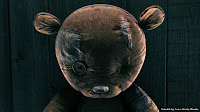
How did you get the idea to be an digital artist, why digital?
Back in high school, I was pretty good at drawing and painting. That lead me to art school where, on my sophomore year, they installed a computer lab for digital design classes. I saw that as a great opportunity, so I jumped right in. I ended up concentrating in Digital Imaging and Design.
Do you have a special education in arts?
I graduated from the School of Plastic Arts in San Juan, Puerto Rico.
Are you employed or do you work freelance?
I’m employed by JWT, an advertising agency.
Which recent projects were the most important for you?
I recently completed a music video for the Grammy-winning group Calle 13.
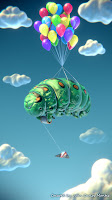
Which project was a particular challenge for you?
That video was a challenge. It took me more than a year to finish, as I had to to most of the work on the little spare time I had.
Where do you get your ideas from?
I think they mostly come from my day-to-day experiences. I also get inspired by the ton of amazing work you constantly find online. Sites such as CGHub, for instance, serve as daily sources of inspiration.
Are you working with references or is all your work from imagination?
I think I work mostly from my imagination, but I often seek out references depending on what I’m working on. For instance, if I’m working on something more “realistic”, I use a lot of references.
What are your plans as an artist for the future?
I’m still working on that. I guess I’ll just keep creating things I enjoy while I figure that out. At least I know I definitely want to get more into 3D design and animation.
Which software are you using for your work, and which hardware?
I use Blender 3D for most of my work. I also use PhotoShop and 3D Coat in pretty much everything I do. I have a humble PC with an AMD Quadcore processor, Windows 7, 8GB RAM, and 1GB Gforce nVidia video card.
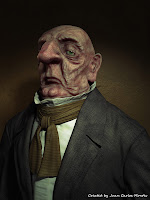
Which tool do you like the most and never want to miss?
I have used many 3D program, but I keep coming back to Blender 3D. I already know it well and I can used it in any computer.
The portfolio
If you are more interested in Juan Carlos work, feel free and visit his website:
http://www.moxstudios.com
http://mox3d.deviantart.com/#/d38cxuz


 The artist
 How did you get the idea to be an digital artist, why digital?
 Which project was a particular challenge for you?
 Which tool do you like the most and never want to miss?
